SMS Terms & Consent
How MICRA-BEV collects and uses your mobile phone number for SMS notifications
How Users Opt In to SMS
MICRA-BEV is a healthcare insurance verification platform used by authorized billing staff at healthcare practices. SMS messages are only sent to authenticated platform users who have explicitly provided their mobile phone number. There are two opt-in paths:
Account Registration (Primary Opt-In)
When a new user account is created on the MICRA-BEV platform, the administrator enters the user's mobile phone number in the account profile. The phone number field is optional — users are not required to provide a mobile number. Providing a phone number constitutes consent to receive transactional SMS messages for account security purposes only.
Password Reset (User-Initiated)
When a user clicks "Forgot Password?" on the MICRA-BEV login page, they are presented with two delivery channel options for their verification code: Email or SMS. Selecting SMS and clicking "Send Reset Code" triggers a one-time 6-digit verification code sent to the phone number on file. This action is always user-initiated — the system never sends unsolicited SMS messages.
Consent Flow Details
Step 1: User navigates to the MICRA-BEV login page at their organization's subdomain (e.g., https://mpsy.psybilling.com/portal/admin/).
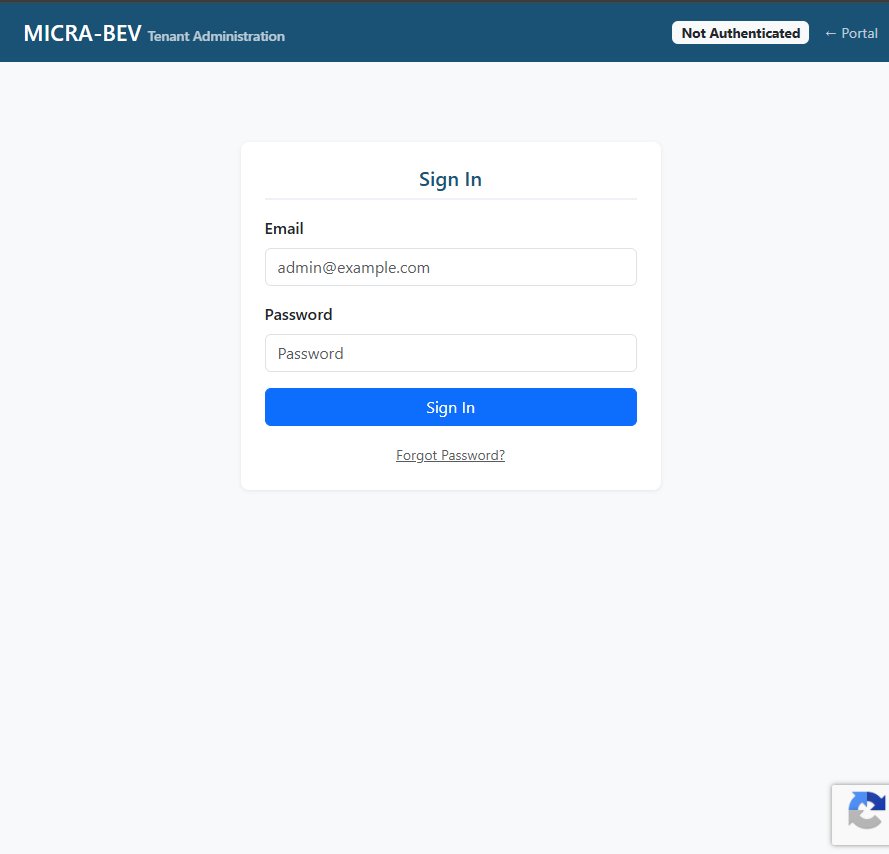
Step 1: Login page with "Forgot Password?" link
Step 2: User clicks "Forgot Password?" link below the sign-in form. The password reset screen appears with an email input field and two channel selection buttons: Email and SMS. User enters their registered email address and selects their preferred delivery channel.
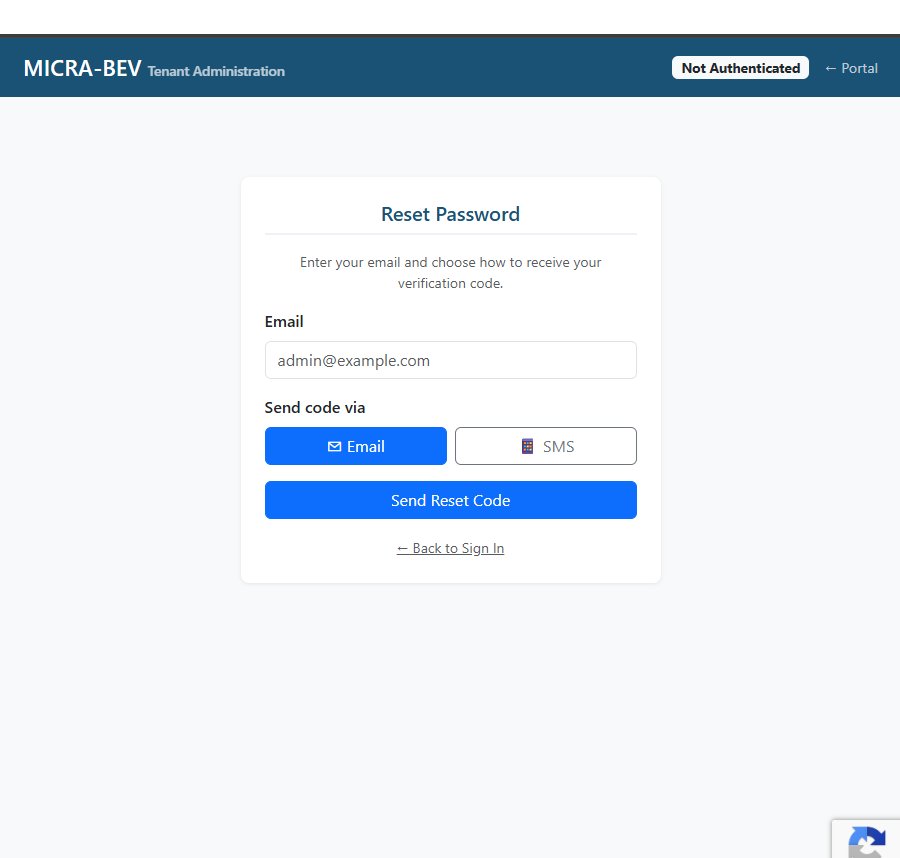
Step 2: User selects "SMS" to receive verification code via text message
Step 3: User clicks "Send Reset Code" to explicitly request the SMS message. A 6-digit verification code is sent via SMS to the mobile number associated with the user's account. The user enters the code and sets a new password.
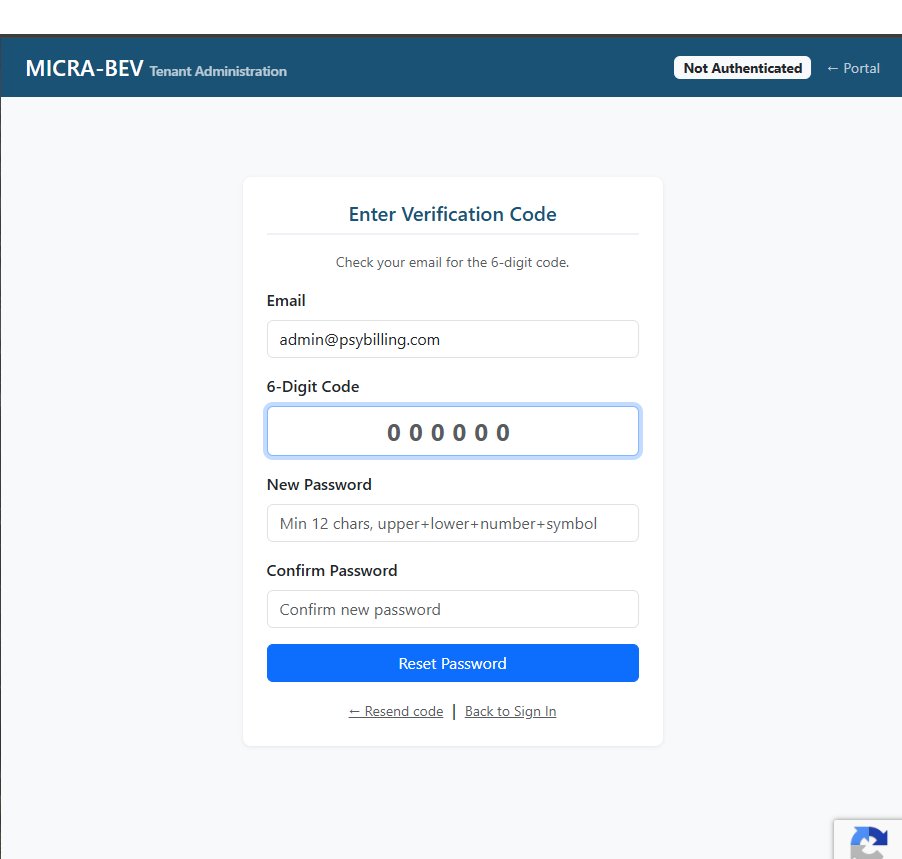
Step 3: User enters the 6-digit SMS code and sets a new password
Sample Messages
Keyword Responses
| Keyword | Response |
|---|---|
| STOP | You have been unsubscribed from MICRA-BEV SMS notifications. You will no longer receive text messages. Reply START to re-subscribe. |
| HELP | MICRA-BEV by Meridian Billing Services LLC. For help, email admin@psybilling.com or visit meridianbilling.com. Msg & data rates may apply. Reply STOP to unsubscribe. |
| START, YES, UNSTOP | You are now opted in to MICRA-BEV account notifications. Msg frequency varies. Msg & data rates may apply. Reply STOP to unsubscribe, HELP for help. |
Message Frequency
SMS messages are sent only when triggered by a user-initiated action. Typical frequency is 1-5 messages per month per user. Messages are never sent for marketing, promotional, or advertising purposes. All SMS communications are transactional and directly related to account security.
Data Use and Sharing
Your mobile phone number is never sold, rented, or shared with third parties for marketing or promotional purposes. Phone numbers are used exclusively for delivering account security notifications via the MICRA-BEV platform. SMS delivery is facilitated by Twilio, our telecommunications service provider, under contractual data protection obligations.
Opt-Out Instructions
You may opt out of SMS messages at any time by:
- Replying STOP to any SMS message from MICRA-BEV
- Removing your phone number from your account profile in the MICRA-BEV platform
- Contacting your organization's administrator to remove your phone number
- Emailing admin@psybilling.com with your opt-out request
After opting out, you will no longer receive SMS messages. You may still use email-based verification for password resets. To re-subscribe, reply START to any previous message or re-enter your phone number in your account profile.
Related Policies
Privacy Policy | Terms and Conditions
Contact
Meridian Billing Services LLC
PO Box 990001
Boston, MA 02199-0001
Email: admin@psybilling.com
SMS From: +1 (607) 524-9461